
How to Find the Qibla Direction on iPhone
To find the Qibla on iPhone, allow the app to use your location, move away from magnetic interference, hold the phone flat, and rotate until the Qibla marker indicates the direction of the Kaaba.
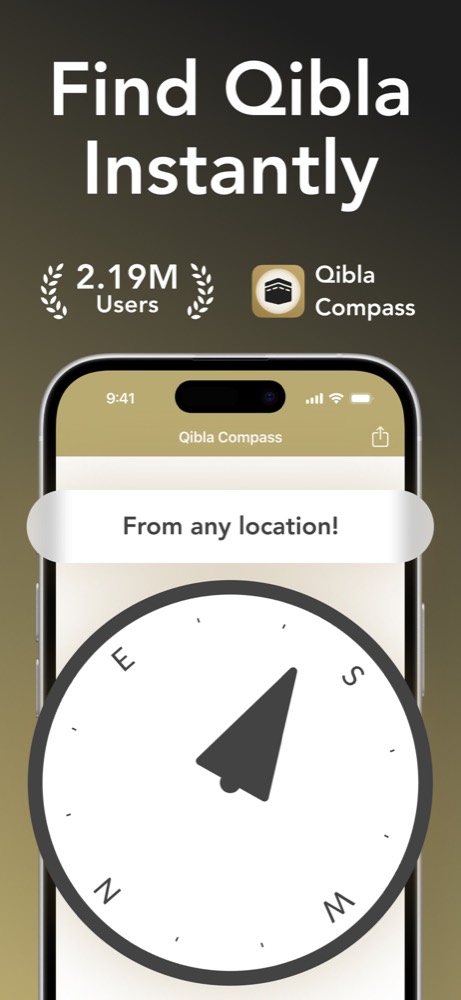
1. Let the app calculate the bearing from your location
The Qibla is a fixed destination, but its compass bearing depends on where you are. A person in Beirut faces a different bearing from someone in London or Jakarta. Location access gives the app the starting point needed to calculate the shortest direction toward the Kaaba.
If the app cannot access your location, open iPhone Settings, find Qibla Compass under Privacy & Security or the app list, and allow location access while using the app. You do not need to type a city or estimate where Makkah sits on a flat map.
2. Check the room before trusting the compass
Phone compasses can be affected by magnets and nearby metal. Move away from speakers, magnetic phone cases, laptop stands, steel desks, cars, and large appliances. Hold the iPhone flat rather than tilting it toward your face, then turn slowly and give the marker a moment to settle.
If two phones disagree, do not average the two directions. Check each device in the same clear spot, remove magnetic accessories, and repeat the reading. A stable result that returns to the same line after you turn away and back is more useful than a number captured while the marker is drifting.
Qibla Compass shows the prayer direction on a focused dial and also offers camera mode when you want to relate the bearing to the room around you.
Download Qibla Compass3. Turn the bearing into a clear prayer line
Once the marker is stable, look for a fixed reference in the room: the edge of a rug, a wall corner, a window frame, or a line in the floor. Align your prayer mat with that reference. This prevents you from having to repeat the full compass check before every prayer in the same place.
Recheck when you move to another building, travel to a different city, or notice that the phone is near a new source of interference. Within one room, a small shift in where you stand should not produce a completely different Qibla line.
Common iPhone Qibla problems
- The marker keeps spinning: move to an open area and check location and compass permissions.
- The direction changes near furniture: step away from metal frames, speakers, and charging accessories.
- The phone points differently when tilted: place it flat in your palm and rotate your whole body slowly.
Questions about finding Qibla on iPhone
Why does the Qibla direction move when I turn my iPhone?
The marker responds to the direction your phone is facing. Turn slowly and keep the phone flat until the display settles.
Should I use true north or magnetic north for Qibla?
A Qibla app calculates the bearing from your location and uses the device sensors to present it. Follow the app marker after checking that location and calibration services are available.